SearchpadPad
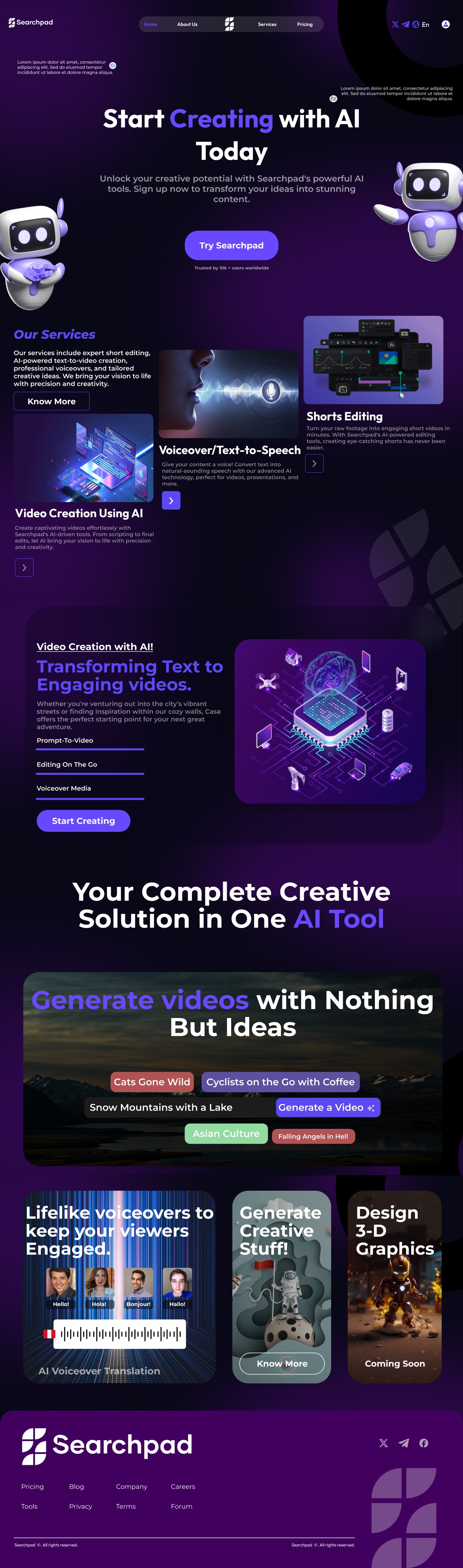
SearchPad is an AI-powered content creation platform that helps creators, marketers, and small businesses produce videos, presentations, ad creatives, voiceovers, and short-form content — all from one unified workspace. Designed as a faster, simpler alternative to tools like Canva, InVideo, and Gamma, SearchPad combines powerful AI workflows with an intuitive UI that lets users create professional-quality content in minutes.
UI & UX

Project Overview
Client: SearchPad, a seed-stage no-code startup
Industry: Website Builder, Founder Tools
Timeline: 8 weeks (2024)
My Role: Lead Product Designer
SearchPad is an AI-powered content creation platform that helps creators, marketers, and small businesses produce videos, presentations, ad creatives, voiceovers, and short-form content — all from one unified workspace. Designed as a faster, simpler alternative to tools like Canva, InVideo, and Gamma, SearchPad combines powerful AI workflows with an intuitive UI that lets users create professional-quality content in minutes.
From generating AI videos and editing shorts to voiceover text, TTS, ad creatives, and pitch decks — SearchPad empowers users to transform ideas into publish-ready content instantly.
Problem Statement
Creators and small teams are forced to jump between multiple disconnected tools for videos, ads, presentations, and editing. This leads to:
time-consuming workflows
inconsistent branding
scattered assets
steep learning curves
slow turnarounds
creative burnout
Traditional design & video tools feel too complex, while newer AI tools focus on only one content format. Users need one platform that handles all formats without sacrificing quality.
Solution
SearchPad provides an all-in-one AI creation suite where users can:
generate scripts → turn them into videos
edit shorts and reels automatically
design ads and marketing creatives
convert text to natural AI voiceovers
generate pitch decks & presentations
collaborate and manage assets easily
Built with a streamlined UI and smart templates, SearchPad reduces creation time from hours to minutes — empowering users to create faster with zero technical skills.
Design Process
S-1: Research/Analysis | S-2: Define/Ideation | S-3: Design | S-4: User Testing |
|---|---|---|---|
Competitive Analysis | Brainstorming | Design System | Interactive Prototype |
Surveys | User Flows | High-Fidelity UI Design | User Testing |
User Personas | Low Fidelity Wireframes | Feedback and Approval | Design Iterations |
Information Architecture | Feature Interaction pattern | Clean, modular card-based dashboard | Final Design Handoffs |
User Persona
“I wish I had one tool that could make videos, ads, voiceovers, and presentations without me jumping across 5 apps.”
Name: David Shell, 24
Role: Social Media manager
Location: New York, USA
Experience: 3 years in Content Creation
Goals | Needs | Motivations | Frustrations |
|---|---|---|---|
Create ads and short videos quickly | Centralised dashboard for load management and tracking. | Wants to scale her freelance business | Spending too much time resizing creatives for each platform |
Maintain brand consistency | Smart matching system for pairing loads | Wants a tool that handles everything in one place | Struggling to edit videos for reels/shorts quickly |
Reduce time spent switching tools | Instant notifications for shipment status updates. | Needs speed + quality without complexity | Tools not optimised for fast AI-assisted creation |
Make high-quality content without hiring designers or editors | Analytics dashboard | Wants to save time and energy | Canva feels limiting for videos, InVideo is too basic, and Gamma is only for slides |
Userflow
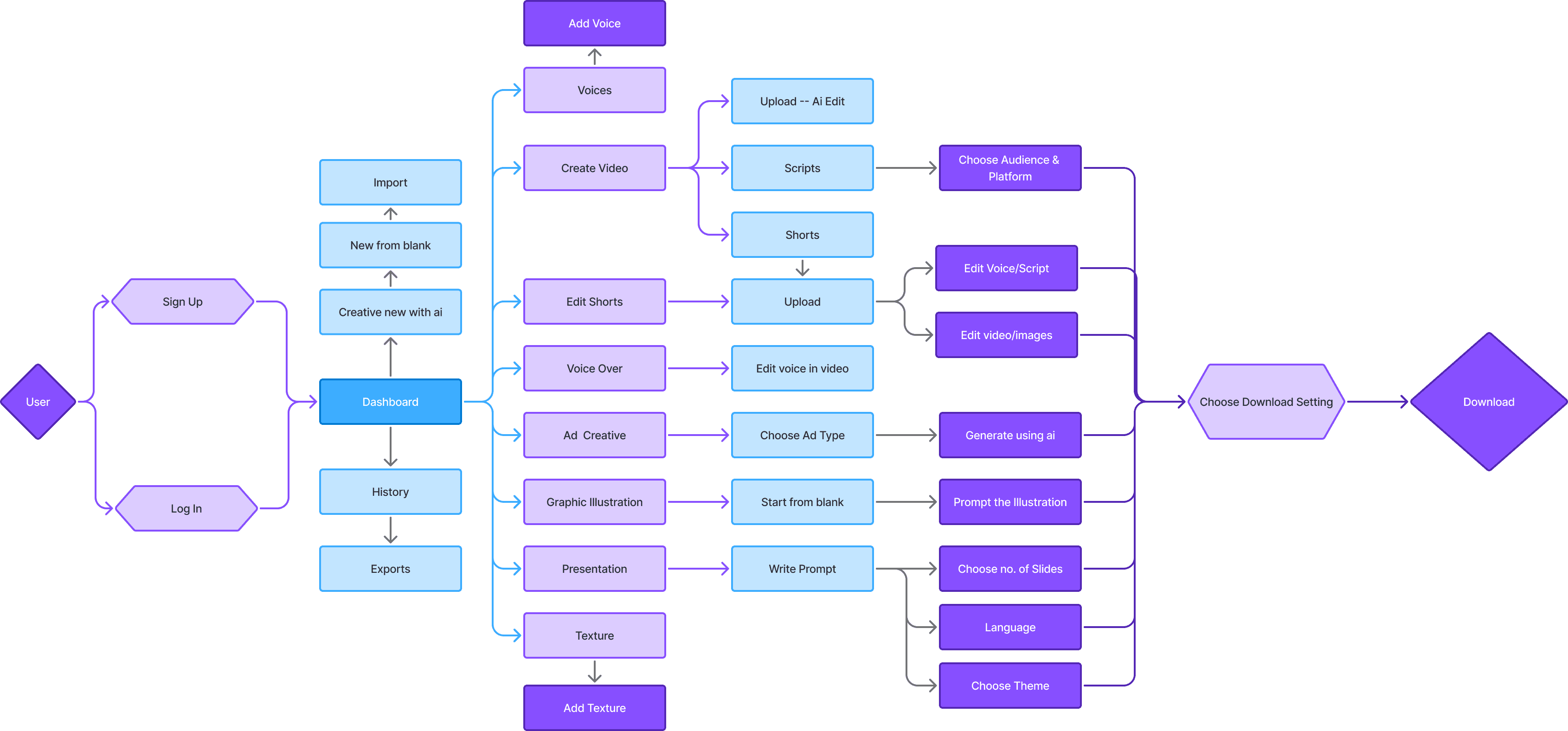
Screens Preview
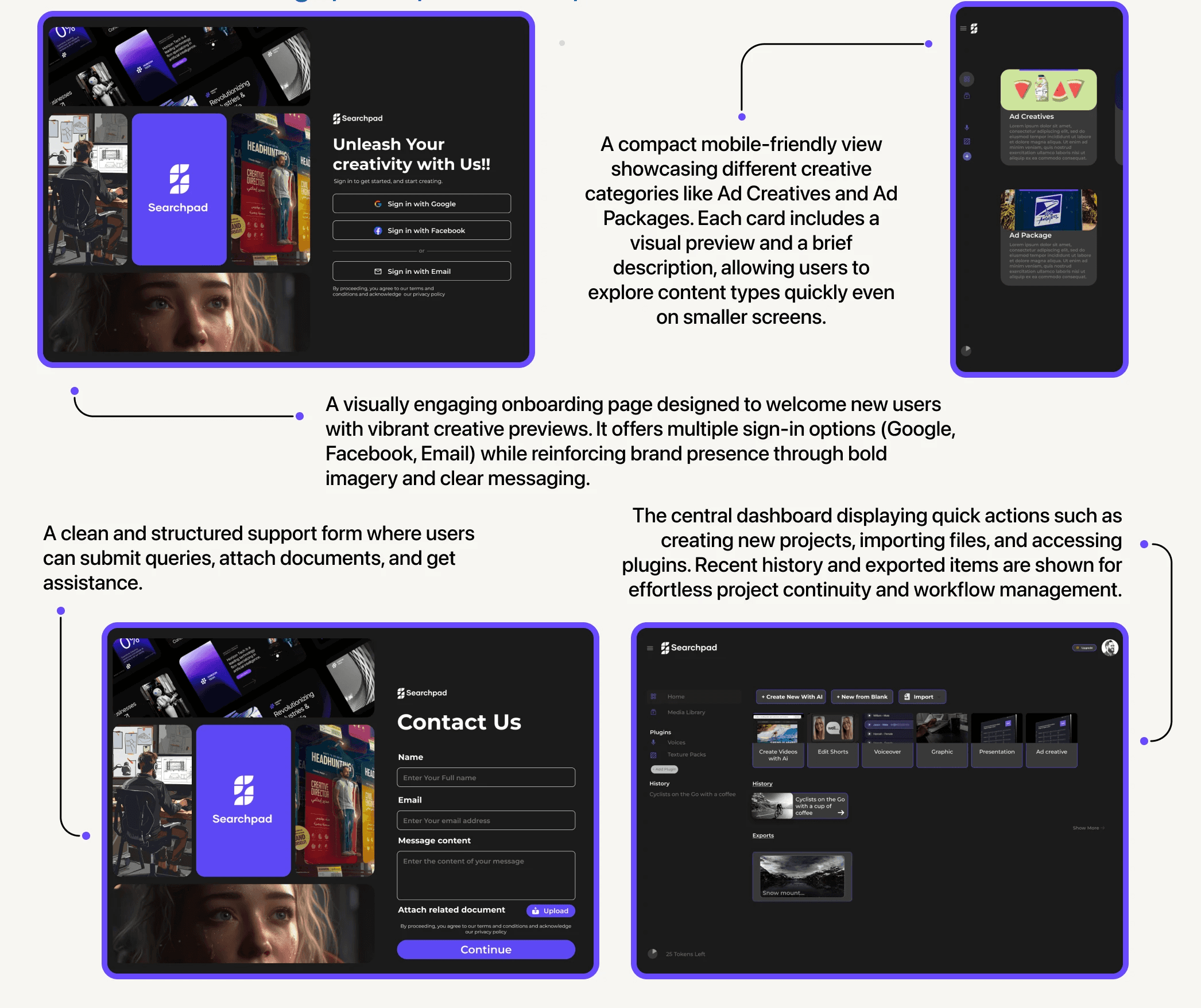
Wireframes

Brand Identity

Screens Preview

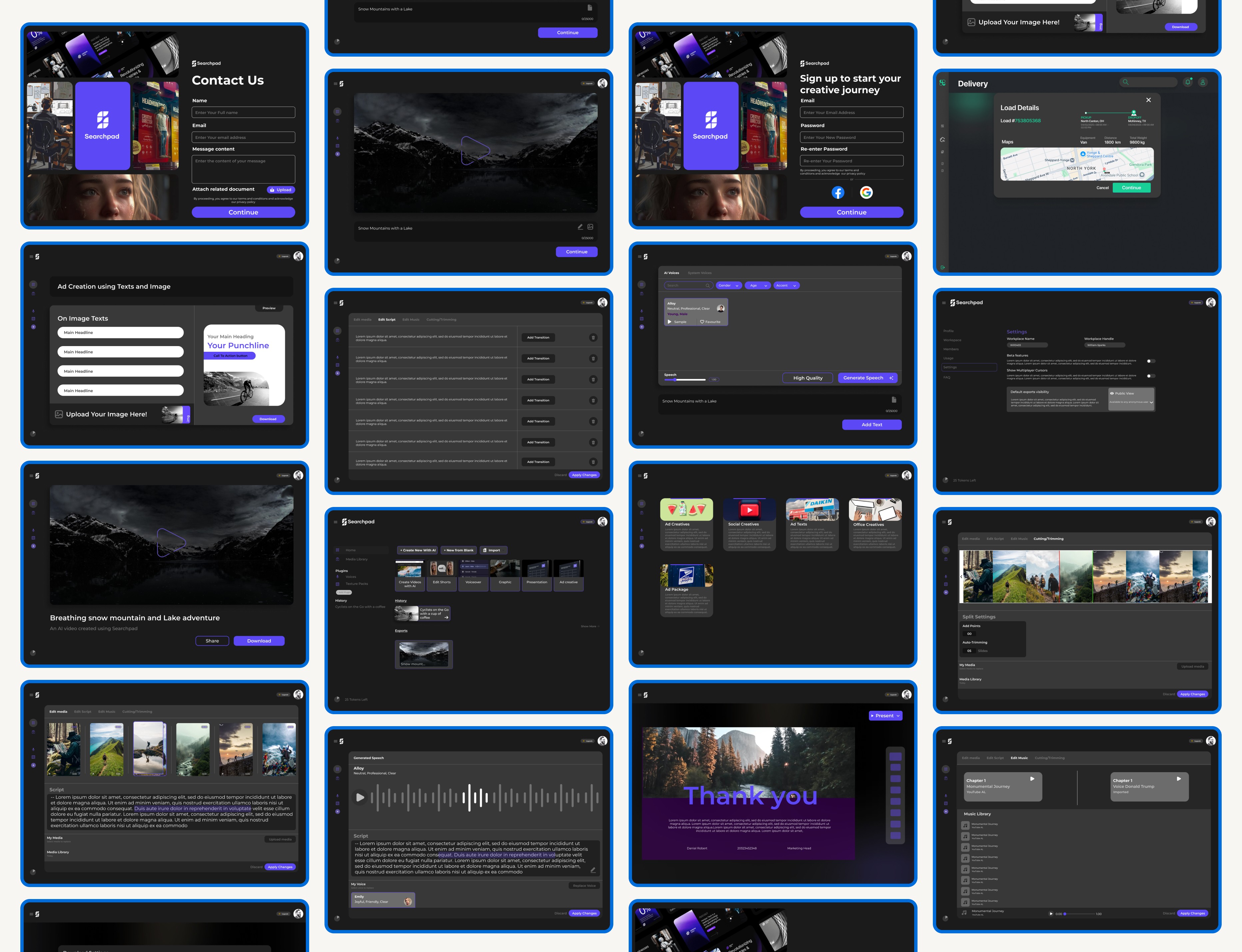
All Screens
Landing Page